A companion to the TRON 2.0 Unofficial FAQ that provides up-to-date
news about the TRON 2.0 gaming community and TRON in general.


If you're having trouble with the TRON 2.0: Killer App Mod
Read this Troubleshooting Guide


User Error And Killer App Mod - More Updates

By TronFAQ on Saturday, June 30, 2012 at 1:58 PM
Our team has been keeping busy for the last three months: working on the next chapter in the series of User Error Single Player expansions, and also working on v1.2 of the Killer App Mod, for TRON 2.0 on the PC.  Today, we have some more video clips demonstrating features in both projects.

User Error 3 is currently at a pre-alpha stage, and the preview clips are tests that are not 100% final. As the project nears completion, you can likely expect changes from what you're seeing here today.


Here is a short clip of a test cutscene in UE3, that will probably end up as the introduction to the mission. The scene is quite long, but we're only showing you a small part of it now so as not to spoil the story too much.


Here's another test cutscene, from what might be a later stage in the mission.


This is a clip demonstrating a new feature that will be part of the mission. User Powers.

Your character will have certain powers like Flynn did, in the original TRON film. The power shown lets you steal other programs' faction colors and disguise yourself as one of them. This way, you can move around freely unless you attack an enemy, at which point the disguise will wear off. There will be a few other powers, as well.


Here's a demonstration showing how in v1.2 of the Killer App Mod, the Light Cycle colors in the Single Player part of the game will be unlocked all at once. TRON 2.0 has a limitation on the number of colors that can be unlocked at once. This meant using the Mod Manager application to swap back and forth between the original colors, and the new colors added by the mod.

In v1.2, this limitation has been overcome and now all the colors will be unlocked at once without the need to swap. This also helps eliminate the "Player.txt file not found" error (or similar) you would get in the Mod Manager, if you change your Profile name after installing the mod.

This issue never affected Multiplayer. All the Light Cycle colors were always available there.


As before, we don't have an estimate on the total number of levels for UE3, or a specific ETA, at this time. But we're looking to create a fairly lengthy campaign (close to the same length as User Error 2), and hoping to have the project done before the end of 2013.

For v1.2 of the Killer App Mod, we're hoping to have it done and released by the end of 2012.


Thanks from the User Error and Killer App Mod teams, and if you have any questions or comments: visit the LDSO message forum or leave a comment here.
 

User Error And Killer App Mod - Future Updates

By TronFAQ on Tuesday, May 01, 2012 at 3:37 AM
Today the teams that brought you User Error and the Killer App Mod for TRON 2.0 on the PC, are going to show you what you can expect from us in the future.


User Error 3


This is an early, rough test version of a cutscene, for a level in the upcoming User Error 3. The User Error team had always planned to do another mission as a sequel, and we now feel the time is right to work on this next chapter.

We don't have an estimate on the total number of levels, or an ETA, at this time. But we're looking to create a fairly lengthy campaign (close to the same length as Part 2), and we'll be trying to increase the overall quality and polish of our work. It's been four years since the original release of User Error Part 2, and in that time we've learned a lot of new tricks that we think will show in Part 3.


Killer App Mod v1.2

Although not many people have left feedback on our LDSO web site, the TRON fan sites, here, or on ModDB: we've kept an eye out on the internet as a whole, reading your comments and discussions whenever our projects have been brought up.

We've heard some of your annoyances with v1.1 of the Killer App Mod. About installation difficulties, not knowing which order to install all the various add-ons available, about widescreen not always working as it should. Remember, though, that v1.1 was released as an Open Beta. Because we knew there were inevitably going to be issues that we overlooked. That's why we needed that feedback, and feedback sent directly to us would have been more helpful.

That being said: a lot of the issues that have cropped up, will be put to rest in v1.2 of the mod. Installation will be a lot easier and work better, you'll be informed of add-ons and what order to install them, widescreen will work better, and you'll even automatically be notified of any further updates when you first install the mod or run the Mod Manager.


Here's a video previewing a couple of the improvements in widescreen implementation.

The System Memory screen, where you work with subroutines, now has correctly working hit-detection in widescreen. Before, the cursor placement would often have to be off to the side in order to highlight something. Rather than being directly on top. Not any more, though, as the video demonstrates.

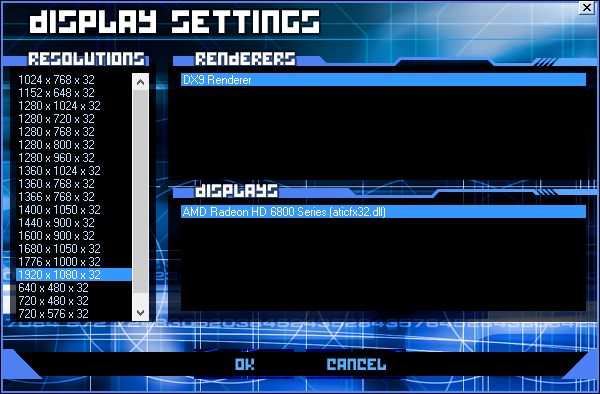
And now if you enter the Display options menu of the game, the resolution no longer resets to the default 640x480. You can pick your resolution, directly from within the game itself. This will prevent you from losing widescreen by accident, and then needing to run the Mod Manager to get it back.

Again, we don't have an exact ETA for the v1.2 update. But we're looking to have it done before the end of 2012.

Thanks from the User Error and Killer App Mod teams, and if you have any questions or comments: visit the LDSO message forum, or leave a comment here.
 

User Error v1.1 - Parts 1 And 2 Released

By TronFAQ on Friday, March 30, 2012 at 4:51 PM


October 31st, 2012 UPDATE: This article is out of date. An updated User Error v1.1a is now available.


Q: What is User Error?

A: User Error is a Single Player expansion for the PC version of TRON 2.0 in the form of a mod, that was originally released seven years ago. It featured 5 levels created by Meatsack. Meatsack teamed up with LDSO to create 11 additional levels for the expansion, bringing the total to 16 (including cutscenes). The most recent version of User Error has released the original 5 and additional 11 levels as two separate parts, now known as User Error 1 and User Error 2.

The story of User Error is about a character named Jeremy Powers who works at fCon, shortly after their takeover of ENCOM. Jeremy is having financial troubles, and decides to use his position at fCon to do some espionage in order to make enough money to pay off his debts. A former Russian agent named Karl offers to reward him handsomely if he will risk entering the computer by being digitized, and retrieve the fragments of a top secret file. Gathering all the fragments proves much more difficult than Jeremy originally thought, as his continuing adventures in the new additional levels demonstrates.

User Error Parts 1 and 2 Download

User Error Screenshots


Q: What's changed in these updated missions?

A: Although the previous version with combined parts was released as "RC2", it is now considered v1.0.

Here are some of the more important changes you can expect in v1.1 of Parts 1 and 2.

  • CHANGED - User Error now self-installs. No more need for REZ Handler.
  • CHANGED - The installer will check online to see if a newer version of User Error is available. This way, people who end up downloading this version will find out if a newer one becomes available at a later date.
  • CHANGED - Supports widescreen fully now, when used together with the Killer App Mod.
  • CHANGED - You'll see a new animation on the Main Menu when User Error is active, as a bonus if Killer App is installed.
  • CHANGED - If you have Killer App installed: Jeremy's Rod weapons become purple to match his color scheme, as a bonus feature.
  • CHANGED - Added some text to a couple of the level loading screens, to explain the story a little better if you haven't read the readme.
  • CHANGED - The character's User name in the top left corner is Jeremy now. Not Jet.

  • FIXED - Jeremy sometimes sinking through the floor and "skating" across on the first level no longer occurs.
  • FIXED - Instead of being awarded 20 build points twice in a row after talking to the Unzipper.exe program on the Vertigo level, you are now awarded all 40 build points at once.
  • FIXED - Fixed the currently selected weapon disappearing after using an I/O Node on some levels. The weapon now stays selected.
  • FIXED - Some enemy characters were missing death (derez) effects, like the Gridbugs. This is no longer the case.
  • FIXED - Fixed a bug where you could keep activating the switch to the Satellite downlink over and over, on the Spacejunk level.
  • FIXED - Fixed bugs where you could ride the Recognizer without first turning on the energy beam and lowering the force field, on the User Power level.
  • FIXED - Fixed the pronunciation of the word "Recognizers" by the I-No-alike character.
  • FIXED - You're now unable to kill certain characters on the last level when behind the final force field.
  • FIXED - Fixed a sound effect not playing for everyone.

Q: How do I use the Mod?

A: User Error 1 and 2 are self-installing now. All you have to do is open the .ZIP file and copy the setup programs to your desktop, run each one, and follow the on-screen instructions. The installation process has been made as automated and painless as possible. REZ Handler is no longer necessary to install these. User Error should work on any version of Windows going back to 98, but was tested on XP/Vista/7 only.

It is recommended to install and play through User Error 1 first, then install User Error 2. As you install each part, it automatically becomes active the next time you run Tron 2.0. So after finishing Part 1, if you install Part 2 and start a new Single Player mission, you'll be playing Part 2 instead.

To confirm a part of User Error is installed and active, when you start a new Single Player game you'll get a new User Error mission. As a bonus, if you installed the Killer App Mod before User Error, you'll see a new animation on the Main Menu that will instantly let you know User Error is working.

Remember that while the mod is enabled, you cannot play Multiplayer online or load any older Single Player saved games. You must disable the mod again. You can disable the mod by clicking the "Custom" button in the TRON 2.0 game launcher and removing the X from the checkbox.


Q: Can I load my saved games from Part 1 in Part 2?

You cannot load any saved games from Part 1 when playing Part 2. But at the start of Part 2 you will be given everything you need (weapons, subroutines, etc.) so you don't have to start over from scratch.


If you have any other question or concerns about the updated User Error missions, please visit the LDSO message forums.


Also keep an eye out for another new follow-up Single Player mission and an updated Killer App Mod v1.2 in the future!
 

LDSO Site Has Undergone Major Updates

By TronFAQ on Friday, January 27, 2012 at 8:35 PM

The LDSO site has just recently undergone some major updates. The old TRON 2.0 Chat Room has been resurrected. A new download section has been added. The forum software has been upgraded to the latest version. The site's front page has been revised to include, among other things, a new status display showing when the LDSO TRON 2.0: Killer App Mod multiplayer servers are online. (This status display can also now be seen at the top of every page on this site.)

And, finally, a new TRON 2.0 Wiki has been created. The TRON 2.0 Unofficial FAQ will be merged into this wiki over time, and in the process it will be revised: to bring it up to date. Some of the information in the FAQ is outdated.

The wiki is also meant to serve as a resource for mapping and modding tips and tutorials, for those who would still like to attempt creating content for the TRON 2.0 game. If you become a member at the LDSO message forum, you will automatically become a member of the wiki as well. Then, if you choose to, you can participate in contributing to wiki articles.

Simply visit the LDSO site, and check the left-hand side of the front page for links to these new additions. Hope to see you there!
 

System Reboot 2.0

By TronFAQ at 12:58 PM
Despite the lack of updates, I just wanted to let everyone know that this site is not dead.

Other projects I'm doing (that I feel are more important) are leaving me with almost no time to spare. However, these endeavors are still related to TRON 2.0. Most notably: an updated version of User Error that self-installs and adds widescreen support, and an updated Killer App Mod, are in the pipeline. With the updated UE due shortly. (Yes, really this time.) Some of the other projects I've been working on, will be mentioned in another article that I'm posting today. If you want to see a full list of some of the things I've been up to, you can visit this page.

So, for now, this site is going on somewhat of a hiatus, and again focusing mainly on its original purpose: to act as a support resource for the PC and Mac versions of the game TRON 2.0. However, I will still continue to post articles about other more general TRON related news. Though on a less frequent basis. (I'm sure once the upcoming TRON Uprising animated series hits, I'll have plenty to say about it.)

As I said last time, in a similar article: Thank you again for visiting. I hope to provide TRON, TRON 2.0, and TRON Legacy fandom with continued useful information you may not find anywhere else.
 

TRON 2.0 Self-Installing Editing Tools

By TronFAQ on Friday, July 08, 2011 at 6:05 PM
Download it from here

The TRON 2.0 Editing Tools have always been a pain to install, especially for new users. For a long time, I've been wanting to do something about it. So recently I found some time to put together a program that installs the tools for you.

The program installs the Editing Tools, released Prefabs, and some extras like: additional documentation from other Monolith games (some useful info in them that isn't in the TRON 2.0 tools documentation), video tutorials made by me long ago to get you started, WinREZ LT Studio, XN Resource Editor, and some community-made prefabs.

During the installation, the program will extract game assets from TRON 2.0 that you'll need to do any editing. These assets take up about 2.5 GB on your hard drive, and they take a while to extract. Please be patient during the extraction process and WAIT until it's finished. You'll see several windows open and close during this time. Just let the program do its work without interruption.

You can decide whether you want to install WinREZ LT and XN Resource Editor or not, by either going through with their installation or canceling them at the start as each launches. I recommend you install both. But during the installation of WinREZ, choose a Custom install. When you get to choose the components to be installed, I recommend not picking ResEdit. Use XN Resource Editor instead.

Also, if you're using a 64-bit version of Windows, don't install the WinREZ Shell Extensions. They only work on 32-bit versions of Windows. So generally on XP you are fine, but on Vista and 7 you'll need to check to see if you're using a 64-bit version. If WinREZ wants to install to "C:\Program Files (x86)", then you are using a 64-bit version of Windows. If there's no "(x86)", you are using a 32-bit version.


XN Resource Editor is meant for editing the CRES.DLL file, which is where all the text for the game is kept. After you open the CRES.DLL file in XN, click the plus sign "+" beside "String Table" and then the plus beside each number to see a table of text which you can click on. Then you can either edit existing text, or add a new text line.

If you need assistance with editing TRON 2.0, please visit our message forum on the LDSO site.

November 11th, 2011 UPDATE: The TRON 2.0 Editing Tools has been updated to Version 1.1. The new version adds more documentation from another Monolith game, an extra tool and plugin, and some other minor changes.
 

Disney And Microsoft Team Up To Produce TRON Legacy Graphic Novel Using New HTML5 Technology

By TronFAQ on Friday, June 03, 2011 at 1:57 PM

Today, Disney and Microsoft - together with a team at Vectorform - revealed a newly redesigned site demonstrating what the future of comics and graphic novels will be.

The TRON Legacy Digital Book site features a TRON Legacy interactive comic: with animated, glowing panels that slide, scale, and feature highlights you can click on to reveal intel on characters like Sam Flynn and Rinzler. The site uses the new HTML5 spec and what's known as GPU or hardware acceleration in Internet Exlporer 9 to achieve the level of interactivity, smoothness, and responsiveness you'll experience when visiting the site. Hardware acceleration offloads the work of drawing the screen from your computer's CPU (processor), to the GPU (video card/chip).

The results are highly impressive, and what's even more impressive is that from start to finish the site only took approximately one month to complete. The site was created by first drawing traditional comic panels in Photoshop, then isolating elements so they could be treated with the added effects mentioned earlier. Then the team at Vectorform worked hard to reduce the bandwidth required for all the high resolution imagery, while keeping the quality and performance of the site high.

I was given an opportunity to chat with one of the creative leads at Disney and a senior director on the Internet Explorer team at Microsoft. During this Q&A, I asked who originated the idea of this new project (Disney), and whether the TRON Legacy filmmakers (Steven Lisberger, Joseph Kosinski, and the rest of the team) were involved in the project in any way (the answer was yes). It seems Disney really wanted to push the boundaries of what could be done with an interactive comic, and remain committed to the TRON franchise for the forseeable future.

If you visit the TRON Legacy Digital Book site, you'll need a browser that supports HTML5. All the latest versions of the most popular browsers now support this new standard, including: Firefox, Chrome, Opera, Safari, and of course IE9. But the site will be best experienced in Internet Explorer 9, which you can download from Microsoft's site.

The site is also promoting a new TRON Legacy interactive book application for the iPad, that you'll want to check out if you own one. The app presents the complete story presented on the web site in the same interactive format.

Below are a couple of videos: the first demonstrating the site in action, and the second going into the technical details of how the site was created. The second video is quite long, about 15 minutes.


The Original TRON and TRON Legacy Arrive On Blu-ray In 2011

By TronFAQ on Saturday, April 02, 2011 at 9:23 PM
The original TRON is finally arriving on Blu-ray, along with TRON Legacy, on April 5th, 2011.

Yes, I am probably the last person in the world to report this. This has been known across the internet, as far back as January 2011. Sadly, though, I did correctly predict that the original TRON would not show up on Blu-ray in 2009 or 2010. It's been a long wait.

Here are links to the various releases of TRON and TRON Legacy you can purchase on Blu-ray.


The best value is probably the Five Disc set that isn't the Limited Collector's Edition. It includes everything ‒ TRON Legacy in 3-D Bluray, TRON Legacy in 2-D Blu-ray, TRON in Blu-ray, all the extra features ‒ minus the special light-up Light Disc holding case. An unboxing preview from IGN below, has put off a lot of people from buying the expensive Collector's Edition. (Thanks to mikezero on Tron-Sector for the tip.)


TRON Legacy and TRON Evolution: How Did They Do?

By TronFAQ at 6:15 PM
With both TRON Legacy and the original TRON arriving on Blu-ray shortly, I thought I'd take a look back at how both TRON Legacy the film and TRON Evolution the game did.


TRON Legacy was still showing in theaters right up until mid-April, 2011. Though in a very limited number of theaters by this point.

During its 17 weeks in release, it earned a total of $400,062,763 ‒ just managing to pass the $400 million mark. Of that total, $172,062,763 was earned domestically (U.S. and Canada) while $228,000,000 was foreign earnings. These earnings figures are sourced from the site Box Office Mojo.

Previously, I predicted that TRON Legacy would be a box office smash. Whether that actually turned out to be the case, is debatable. With a production budget claimed to be $170 million and a marketing campaign rumored at an additional $100 million, for a total cost of approximately $270 million: earning about $400 million couldn't necessarily be considered a smash hit.

Still . . . it's not a flop, either. Though, to be honest, it's the foreign earnings that saved TRON Legacy from being a box office bomb. Earning roughly $170 million in domestic receipts is a poor showing. American audiences weren't really enthused about TRON Legacy, apparently. While international audiences as a whole were more receptive.

So what did I think of TRON Legacy? It was . . . okay.

Coming from something of a TRON fanatic, calling Legacy "okay" is akin to damning it with faint praise. I saw it in IMAX 3-D, and visually there is no question that it was impressive. (Though I still don't like the costumes for the programs in Legacy. They're uninspired and bland without the detailed circuitry patterns from the original costumes. Interesting then, that the preview for the upcoming TRON Uprising animated series seems to have addressed this complaint by adding back some detail. It can be seen starting at the 0:49 mark. Disney actually listening to the fans' feedback? :o )

Rather than type out a long diatribe about what I thought was wrong with Legacy and how it could have been better, I'll just direct you to watch Spoony's rant on TRON Legacy below. It sums up everything that I thought was wrong with the film, far more eloquently than I ever could. I'm not quite as down on the film as Spoony is, though. I at least liked it and thought it was decent. Just not great. Some of the things he took exception with in the story can be explained away, but on the whole he's telling it like it is.

Be warned, though, that the video is a very long rant at almost an hour long. It's also full of SPOILERS if you haven't seen the movie yet, and NSFW either due to language. Even if you intend to watch the entire thing, you might want to skip to the 4:09 mark because he doesn't really talk about TRON Legacy until then. If you want the "short version" where Spoony gets to the point ‒ and the part that really stood out for me, the part I wholeheartedly agree with ‒ then skip to the 44:18 mark.

For the TL;DR crowd, suffice to say that Legacy's story was its biggest flaw. "So much wasted potential."


So will there be another TRON sequel? A TRON 3, for lack of a better title? Rumors point to yes.


As I predicted would occur, TRON Evolution did not do very well. In fact, it was a massive bomb across all three platforms (PC, 360, PS3) doing even worse than I ever imagined. As a result, the Disney-owned developer of Evolution, Propaganda Games, was shut down this January.

Even Disney Interactive itself is in a state of disarray, thanks in part to the poor sales of Evolution. At least two executives at DI either resigned or were fired in the last year, alone. If you've been following this site for any length of time: then you know exactly what I've thought of Disney Interactive over the years, and all of this comes as absolutely no surprise to me. It's a sinking ship that won't be rescued any time soon.

So how did TRON Evolution do, exactly? It sold 190,755 copies worldwide on all three platforms (PC, 360, PS3), as of January 2011. This information was sourced from the L.A. Times.

Going back to one of my previous articles, which talked about how well the sales of TRON 2.0 did, we again have to look at expectations in today's marketplace.

Already, in 2003, sales of 100,000 (estimated) for TRON 2.0 on one platform (PC) was considered "okay" but disappointing. Fast forward 7-8 years, where expectations have essentially increased tenfold. Today, sales of 1 million are just "okay" and still disappointing. Meanwhile, Evolution didn't even reach one-fifth of that number across three platforms.

Then factor in the undoubtedly much larger development and marketing budgets for Evolution vs. TRON 2.0, and the fact that Evolution had the massive hype machine that is the film TRON Legacy behind it . . . and you begin to see that, by today's standards, Evolution essentially did even worse than TRON 2.0. Disney must be reeling in shock, especially after touting how they hoped Evolution would be a huge hit.

To put this in even better perspective, let's look at the sales of Amnesia: The Dark Descent. (A game I highly recommend, by the way.) It's a title made by an independent developer, PC only (at this time), with virtually no marketing behind it. Yet it sold the same number of copies as Evolution, if not more. (Yes, I realize it took a little longer at four months versus one month. But still!)

Ouch.

As for what I think of Evolution: my opinion of it hasn't really changed since I predicted what it would be like, based on the trailers and other previews. In fact, it turned out exactly the way I expected. Here's a summary of TRON Evolution written by a game critic that I fully agree with, as stated in this article under the "Unfortunate Disappointments" heading.

Tron Evolution: The Videogame was a far different kind of bad. This was a game that was creatively bankrupt when it came to gameplay. Looking at what Disney Interactive Studios put together is a game that is essentially a mod for a Prince of Persia game. You could put a Prince of Persia skin on this game and you would never know the difference. I love Tron, and the entire franchise. I am one of the few that has probably played Tron 2.0 at least a dozen times, and have enjoyed it each time. It was a fantastic journey and it felt like something associated with the Tron universe. This game ended up being an injustice to the Tron franchise and actually takes away from what is there from the prior games and movies.

- Joe Haygood, Aeropause Games


To sum up, in my view: TRON Legacy was at least decent if not exceptional, but TRON Evolution was a major disappointment.

June 3rd, 2011 UPDATE: I've updated the article due to the fact that TRON Legacy was still in theaters until a couple of weeks after this was first posted, and because Box Office Mojo has continued to adjust the earnings figures over the last couple of months. This article now reflects the current figures as of June 3rd.
 

GameStar Hungary Magazine Giving Away TRON 2.0 For Free

By TronFAQ on Wednesday, December 15, 2010 at 1:13 PM
The December 2010 issue of the Hungarian edition of GameStar magazine is including the full retail version of TRON 2.0, for free.

As can be seen in the image on the right, the top of the issue's front cover has the words ""Teljes Játék: TRON 2.0" which means "Full Game: TRON 2.0".

Also, if you visit the GameStar.hu site, you'll see another phrase saying: "Decemberi Tron-áradat: ajándék teljes játékunk minden idők legjobb Tron-játéka: a Tron 2.0, címlapon pedig a Tron: Evolution!" The Google translation result is: "December Tron-tide gift complete game of all time best-Tron game: Tron 2.0, while the front page of Tron: Evolution!"

Frankly, I'd like to know how GameStar's publisher IDG managed to convince Disney Interactive to let them give the game away for free. To me, this seems like a small miracle. Disney has yet to re-release TRON 2.0 in any form, and seems to pretend that it doesn't even exist. (Sure, it gets mentioned in their press releases now and then, but it's always downplayed and treated as unimportant now that Legacy and Evolution are here.)

Perhaps, then, there's some small hope for TRON 2.0 showing up in the not-too-distant future on a service like GOG.com (Good Old Games).
 

Preview of Limited Edition TRON Legacy Fandango Gift Cards

By TronFAQ on Wednesday, December 01, 2010 at 7:31 PM
Fandango has sent me some cool preview images of their upcoming Limited Edition TRON Legacy gift cards, that can be used to pay for movie tickets at any theater that accepts them. They'd make great gifts, or even collector's items to TRON fans.


I'd like to thank Fandango for giving me this exclusive first look at their TRON Legacy gift cards. I'll post more information in the future as I receive additional details about them.
 

TRON Evolution - Some Early Predictions

By TronFAQ on Thursday, November 25, 2010 at 11:29 PM
If you've been reading this site for any length of time, you've probably noticed that I've said very little about TRON Evolution for the last year. Why is that, you might ask.

Out of fairness to the game, I've been waiting until the last possible moment prior to release, before forming an opinion. I think I've seen enough previews now, to draw an accurate conclusion about the quality of the title. Evolution is scheduled to be released tomorrow (November 26th, 2010) in the UK and possibly most of Europe. (I've found conflicting information as to whether it's just the UK, or a broader European release. So it's not clear at this point.) The North American release date is December 7th, 2010.

Frankly, I don't understand the reasoning behind the staggered release schedule because it's practically inviting people to pirate the game. In fact, the 360 version of Evolution was already pirated a couple of days ago. (So much for piracy only being a PC problem.)

There's also Battle Grids for the Wii, which is a completely different game from Evolution for the PC, Xbox 360, and PS3. And there are also DS and PSP versions, which are again different.

But let's now take a look at a couple of videos that preview Evolution.


After seeing that, you're probably thinking: "OMFG, this game is going to own!" Yeah, of course it looks awesome. It's a pre-rendered animation done by Digital Domain, who did the CGI on TRON Legacy. But it's not actual gameplay, so it's useless as a means to base any kind of informed opinion.

Let's take a look at Giant Bomb's preview instead. It's a whole half-hour of real gameplay. But be warned that the preview spoils a fair bit of the game.


Let's go over certain points in the video.
  • 00:20 - Disney/Propaganda decided to drop the "The Video Game" subtitle from TRON Evolution. Good call. Any game with "The Video Game" as part of its title sounds more than a little tacky.

  • 03:26 - Watch as the employee from Disney Interactive tries to do the parkour moves in order to progress through the level. Is that supposed to be fun? Having to make jumps with fairly precise aim and timing, and then having to do them again and again when you don't manage, doesn't look all that fun to me. A lot of players grumbled about the jumping puzzles in TRON 2.0. Now they've taken the worst part of the previous game, and made that the main gameplay mechanic throughout the entire Single Player campaign.

  • 3:43 - The game's director, Darren Hedges, reveals that there are around 9 levels in the game. (They're on Level 6 and he says they're roughly "two-thirds" of the way through.) Much later at the 17:54 mark, he mentions that total Single Player gameplay length is about 8 hours. This game is short.

  • 5:57 - Hedges makes a point about the player having all sorts of choice in Evolution, and then explains how in a particular area you can either jump up and hit a switch or stay below to hit the switch. That's meant as a good example of choice? Whether to hit a switch from above or below? Sorry, but the level progression still looks very linear to me.

  • 7:01 - Here we can see the other main game mechanic. Brawl style combat, from a third-person perspective. I prefer first-person, but could live with third-person if the gameplay makes up for it. Unfortunately, this brawling combat looks repetitive and boring. The AI seem like pushovers. Just mash the buttons, and beat the crap out of your opponents without having to think too much. The disc is auto-aim, so you have no fine control over it like you did in TRON 2.0. So not much skill or finesse required for disc combat. Also note the text hints on-screen. I hope there's an option to turn this hand-holding measure off.

  • 9:14 - Hedges mentions persistent player progression, where the player can take his or her skill level and abilities from the Single Player game into Multiplayer, and vice-versa. While this sounds cool in theory, I have to wonder how well it will work in practice. The game had better do player matchmaking based on the players' levels, or else matches in Multiplayer will not be very fun.

  • 15:30 - Here again, the Disney Interactive employee demoing the game falls to his death more than once. Jumping puzzles still aren't fun.

  • 19:00 - Hedges mentions that the energy strips on the walls are supposed to keep you constantly moving and progressing rather than "just, basically, walking into a room, plowing your way through - you know - a bunch of bad dudes, and then going to the next room and just repeating it ad infinitum". Well, how does this "high mobility system" prevent that? What a load of bafflegab. It doesn't change anything.

  • 22:33 - Hedges mentions how the PS3 version supports 3-D. What he neglects to mention is that the PC version also supports 3-D. But, honestly, how many people will have the 3-D TV or monitor and glasses, to take advantage of it? It's not a huge selling point at this time. It's really more of a marketing gimmick, than anything.

  • 23:07 - Here, Single Player Light Cycle gameplay is demoed. And, again it looks boring. It's entirely an on-rails experience. You're only allowed to go down a guided track, while explosions go off around you and structures collapse. So all you do is just dodge things, with the occasional opponent Light Cycle showing up. If that's all there is to riding Light Cycles, then it's not really impressive.

  • 25:08 - The DI employee mentions that 90 degree turns have been implemented for Light Cycles in Multiplayer. This was not originally the plan, and only because of fan protests did Propaganda add it at the last-minute. Kind of astonishing to believe they hadn't made it a priority earlier. Then they go on to gripe about how it was difficult to make it work with the physics middleware they're using, which is why they didn't do it sooner. They make it sound so difficult when it really isn't.

  • 27:01 - Now we're shown the Light Tank. While this game mechanic is simplistic as well, at least it will give players an immense sense of satisfaction when they go around blowing away enemies. This is one of the few parts demoed that actually looks like it could be fun.

Finally, at the end of the preview at the 30:32 mark, Hedges is asked if he looked at what came before, when designing Evolution. He mentions TRON 2.0, shareware TRON games, and reading up on what fandom said they wanted.

Indeed, TRON Evolution looks like a game that made a shopping list of must-have features. Those features read pretty closely to a wish list I compiled years ago. But unfortunately, along with implementing what fans wished for: Propaganda also went shopping for what they thought were "cool" features in other current games and ripped them off, in an effort to be trendy and to create what they desperately hope is the recipe for a very successful game.

TRON is not Prince of Persia. TRON is not Mirror's Edge. TRON is not Assassin's Creed. TRON is not Spiderman: Shattered Dimensions. TRON is not Enter the Matrix.

TRON is TRON. Instead of focusing alone on the strengths of what makes TRON unique (Light Cycles, Recognizers, Tanks, pure Disc Combat), they crammed in all these other gameplay elements that fit uneasily into the TRON universe and instead seem forced.

I think Spoony summed up best in his video preview a lot of people's reactions (and certainly mine) when he essentially said: "Parkour? In TRON? No. Just . . . no." This isn't the first time Propaganda has blatantly ripped off other sources, as Yahtzee explains (video is NSFW). The developers try to justify these "borrowed" gameplay elements at the end of this article, but it sounds like they're really reaching when they come up with reasons as justification.

TRON Evolution doesn't look like it will be the kind of game that I'll enjoy much. It's all about being cool and edgy, with lots of sprawling combat and not much else. It has none of the charm or sense of wonder that TRON 2.0 had. The only positive things I can say are that the environments (graphics) look very good, the Light Tank sections look like they could be fun, and Multiplayer seems as if it could be promising. That's about it.

And I think a lot of fans will agree. Particularly those who like old-school TRON. Disney, naturally, is saying and hoping that Evolution will be a huge hit. Of course they would say that, what else would they say? But I'm going out on a limb to predict that Evolution won't be a great success.

Sure, it will probably sell decently. At least one million copies. Which seems to be the minimum required not to be a complete "failure" in today's market. It gets to ride on the coattails of TRON Legacy and has the massive marketing hype machine of the film behind it, after all. Something that TRON 2.0 didn't have, and it went under most people's radars unappreciated as a result.

Disney's Interactive division had some more management shake-ups and has been seeing losses for a long time. TRON Evolution won't change that. It won't be a big hit.

Meanwhile, the film itself - TRON Legacy - should be a box office smash.

November 26th, 2010 UPDATE: Disney Interactive has delayed the PC release of TRON Evolution in the UK until an unspecified date in December. (Scroll to the bottom of this article for the news.) I imagine it will be December 7th, the same date as the release in North America. Unless Disney pulls the same stunt here too, and delays it again. How did I know they would pull this crap? Thanks to fellow LDSO member Win3K for the news.
 

No Blu-ray TRON Release In 2010, Either

By TronFAQ at 10:29 PM
Early last year, I predicted correctly that the Blu-ray remaster of TRON would not be released in 2009. And I think it's safe to say, that it won't be coming out in 2010, either.

The Blu-ray edition of TRON was originally supposed to appear either shortly before, or at, the release of TRON Legacy in theaters. But once we reached late October/early November with still no word of a Blu-ray release, Disney's silence on the matter was speaking volumes.

The reason for the change in plan, is apparently due to a screening of the film during the summer at Disneyland that Disney executives attended, as detailed over at Blue Sky Disney. The audience reaction was negative. People laughed at the film and thought it looked extremely dated.

I don't know that I agree with Disney's decision to hold back the Blu-ray release until 2011, particularly if they based their decision on a single screening. One negative reaction isn't really enough of a sample to be accurately representative of audiences as a whole. It comes across as a bit of a knee-jerk response.

But we will see the Blu-ray release eventually, which is all I guess really matters. It will now be released at the same time as TRON Legacy is released on Blu-ray. Steven Lisberger, director of the original TRON, has done work on the remaster and comments on it toward the middle of the following video from Collider.com.


TRON 2.0: Killer App Mod Help And Troubleshooting Guide

By TronFAQ on Saturday, November 20, 2010 at 7:56 AM
I've been seeing a lot of people doing Google searches, trying to find help when they have problems with the Killer App Mod. (You would think they'd read the ModDB site page or the documentation that comes with the mod, that already has troubleshooting advice in it. Or try to contact the creators when they have difficulties. But I guess people are impatient.)

Anyway, rather than have troubleshooting advice scattered through various sites, I'm going to collect all the advice together into one concise article.

This article is a work in progress, and will be edited from time to time to update and/or improve the information contained within it.


LAST UPDATED April 18th, 2020

Q: When I use the mod, widescreen doesn't work. How can I fix this?

A: First, before installing the mod, make sure you are correctly identifying the aspect ratio and resolution your monitor is capable of.

Popular aspect ratios and resolutions:
  • 4:3 (640x480, 800x600, 1024x768, 1280x960, 1600x1200)
  • 5:4 (1280x1024)
  • 16:9 (1280x720 aka 720p, 1360x768, 1920x1080 aka 1080p)
  • 16:10 (1200x800, 1440x900, 1680x1050, 1920x1200, 2560x1600)
Once you've determined your aspect ratio and desktop resolution, select them during the installation of the mod when it asks for this information.

After the mod has been installed and you run the game: if from the TRON 2.0 main menu you go to Options > Display, the game will reset the resolution back down to 640x480. You will not be able to select any resolution that isn't in 4:3 aspect ratio, because the game does not allow you to choose them. (This is something that will be remedied in the upcoming v1.2 of the Killer App Mod.)

If this happens, quit the game and run the TRON 2.0 game launcher, then click the Display button. You will be able to select your non-4:3 widescreen resolution there, starting with v1.1a of the mod.


If the game is still not correctly displaying in widescreen, you might need to alter your GPU Scaling settings in the Nvidia Forceware or AMD/ATI Catalyst control panel.

Here are links to guides on how to change your GPU Scaling settings:

Turning on Nvidia GPU scaling (change setting to Aspect ratio)
Turning on AMD/ATI GPU scaling (change setting to Maintain aspect ratio)

In both cases, the selection you need to choose may be blanked out. To fix this, temporarily lower your desktop resolution at least one setting below your current one. Then when you go back to the control panel, the option should be selectable. After making the change, return to your original desktop resolution. The setting might not appear to stick, but it should still be working. This is a flaw in both Nvidia's and AMD/ATI's drivers.

It's also possible that your monitor has an aspect ratio setting. This feature is sometimes called 1:1 pixel mapping. If your video card is set to use GPU scaling, this monitor feature should be turned off. Or, if your video card isn't using GPU scaling, then you will probably want to turn this feature on. But don't have both on at the same time.


If none of the above has helped, be aware that recent Nvidia drivers have had problems with correctly displaying games without "black bars" even when the Aspect ratio setting is used. Read this message topic to learn more details.


Q: After installing the game, when I run it: it either crashes or I can hear music but I'm getting a blank or black screen. What can I do to fix this?

A: Locate your TRON 2.0 folder in the Windows Explorer and go inside it. If you installed the CD/DVD version of the game to the default location, it will be at:


C:\Program Files\Buena Vista Interactive\Tron 2.0
(Windows XP/Vista/7/8 32-bit)

   OR

C:\Program Files (x86)\Buena Vista Interactive\Tron 2.0
(Vista/7/8 64-bit)


If you installed the Steam version of the game to the default location, it will be at:

C:\Program Files\Steam\SteamApps\common\Tron 2.0
(Windows XP/Vista/7/8 32-bit)

   OR

C:\Program Files (x86)\Steam\SteamApps\common\Tron 2.0
(Vista/7/8 64-bit)


In your TRON 2.0 folder, highlight Lithtech.exe, and click the right mouse button. Click Properties, choose the Compatibility tab, put a checkmark in the box beside Disable desktop composition (Windows Vista and 7 only), and/or set Compatibility mode to Windows XP SP2 or 98. A few people have reported that this helps.

Another thing to try, is hitting the Esc key a few times. Sometimes the game will get "stuck" when displaying the introductory videos and hitting Esc will skip them. This might take you to the main menu. If you click the Options button in the TRON 2.0 game launcher, there is a setting called Disable Movies that allows you to turn off the introductory videos.

Before installing the Killer App Mod, you should install the Unofficial v1.042 Patch rather than the Official one. The Official Patch still uses copy protection that does a disc check, which doesn't work so well for some people on newer versions of Windows like Vista/7/8. Note that the Killer App Mod adds Français/Deutsch/Italiano/Español language support to the Unofficial Patch.

DO NOT patch the game or use any kind of No-CD crack AFTER the Killer App Mod is installed. This will prevent the game from running at all. A No-CD crack is not necessary, because the Unofficial Patch recommended during the mod installation eliminates the disc check.


If none of the above works, visit this message topic. Download the file mentioned and run the registry script. But only do this as a last resort if the other suggestion didn't help. It forces TRON 2.0 to reset all its settings, and you will lose your preferences that you set in the game.


Q: I can't get the Killer App Mod to install at all. The installer hangs or crashes during installation. What can I do?

A: Thanks to Moravuscz on the Steam discussion forums for suggesting this easier solution, if the installer hangs. It's strongly suggested to try this first, before trying anything else listed further below. This easier solution works on Windows 7/8/10.

  • Run the Killer App Mod installer (if you cancelled installation earlier), and wait until it hangs again
  • Hit the Windows key and R simultaneously
  • A window named Run will appear, type resmon and hit Enter
  • If a Windows User Account Control (UAC) prompt appears, click Yes
  • Click the CPU tab in the Resource Monitor window
  • Scroll through the list of processes until you find the irsetup.exe entry (which should be highlighted in red), and place the mouse pointer on top of it
  • Right-click and choose Analyze Wait Chain
  • A window will appear, showing which process irsetup.exe is waiting on and causing it to hang (the process irsetup.exe is waiting on will be different for everyone)
  • Click the small box next to the process irsetup.exe is waiting on (to put a checkmark in it), then click the End process button
  • A dialog will appear asking to confirm if you want to end the conflicting process, so click the second End process button
  • Close the Resource Monitor window, to return to the Killer App Mod installation screen

After following the above steps, the Killer App Mod installer should now resume and complete installation.

Below are additional troubleshooting steps you can try (if you're on Windows XP/Vista for example), but the above steps should resolve the Killer App Mod installer hanging issue for the majority of people. (The hang is due to a bug in the installation software, used to create the Killer App Mod installer. The developer acknowledged, and has claimed to fix, this issue in an update to the software. This hanging problem doesn't occur for everyone. But for those who do encounter it, the issue should no longer occur in the upcoming Killer App Mod v1.2, when it's released.)


In order to determine which processes can cause this hanging issue, if everyone could please do the following I would very much appreciate it.

Download this batch file (saving it to your Desktop will make it easy to find) > Right-click it and choose Run as administrator (If the Windows 8 SmartScreen prompt appears, click More info and then Run anyway) > Wait until the Command Prompt window closes, do not close it yourself (this can take a couple of minutes) > Click here to start composing an e-mail (address is tronfaq@ldso.net) > Add the msinfo32.nfo file that should now be on your C: drive (at the root, not in any folders) as an e-mail attachment > Also attach the file TRON 2.0 Killer App Mod Setup Log.txt that should be in your C:\Windows folder.


For advice on how to solve this issue:

Before trying anything else, some users have reported that quitting their Razer (Comms/Cortex/Synapse/Booster) or Logitech (Gaming/SetPoint) software, allowed the mod to install.

In the case of Razer software, you may also need to stop the Razer Game Scanner service. Please visit this page and scroll to the bottom. Instead of restarting the Game Scanner service, follow the instructions but choose to Stop the service instead and then try installing the mod. (The service will automatically start again, the next time you restart your computer.)


Next, try unplugging any USB storage devices such as Flash memory keys. This may help.

The next step to try, is simply restarting Windows and attempt installation again.

If this does not work, try setting the installer to run in XP Compatibility mode. At least one person has reported that this helped.

Right-click ka_mod_v1x1a_setup.exe > Choose Properties > Click the Compatibility tab > Put a checkmark in the box beside Run this program in compatibility mode for > Select Windows XP (Service Pack 2) from the drop-down menu > Click OK.


If that doesn't work, try installing the mod in Windows Safe Mode. On Windows XP/Vista/7, Restart the computer from the Start Menu, and before the Windows bootup logo appears, hit the F8 key on the keyboard. This will bring up a menu. Choose Safe Mode. When you reach the desktop, run the installer again. After installation of the mod completes, restart the computer once more and it will automatically return to the normal desktop.

In the case of Windows 8, the F8 key alone no longer works when booting and reaching Safe Mode is a bit more awkward.

Hit the Windows key and R simultaneously on the desktop > A window named Run will appear, type msconfig and hit Enter > Click the Boot tab > Put a checkmark in the box beside Safe boot > Click OK > Click Restart. When you reach the desktop in Safe Mode, try installing the mod again.

After installation of the mod in Safe Mode has finished: Repeat the steps to run the System Configuration (msconfig) program > Remove the checkmark in the box beside Safe boot > Click OK and Restart to return to the normal desktop.

If the installer complains that a previous version of the mod is installed, say Yes to deleting the mod folder.

Note that the installer will require approximately 2.5GB of hard drive space in order to install the mod. (1.5GB for installed files, and 1GB temporary space during installation.)


Q: During installation of the Killer App Mod, when it reaches the patching stage I get a "Not enough disk space" error. Even though I have plenty of free space. Why is this happening?

A: There is an issue with the patching software used during the installation process. If TRON 2.0 is installed on a drive partition with greater than 2TB of free space, the patching software incorrectly calculates the amount of space and this error occurs. (I've already contacted the developer of the software, and asked them to fix this.)

To get around the problem: Download this .zip file (saving it to your Desktop will make it easy to find) > Copy/extract the contents of the .zip to your desktop > Right-click freespace_v1x0.bat and choose Run as administrator (If the Windows 8 SmartScreen prompt appears, click More info and then Run anyway) > When the batch file runs and asks for a drive, type in the letter of the drive partition where TRON 2.0 is installed.

The batch file will use Contig.exe to create a temporary blank file, large enough to bring the free space on the partition down to less than 2TB. It will then pause, and allow you to attempt installing the mod again. Do not close the window. Once the mod has been successfully installed, return to the open batch file window and press any key. The temporary blank file will be deleted.


Q: When I try to install the mod, my anti-virus quarantines or deletes some or all of the Killer App Mod installer files. (This may also happen silently, without the anti-virus notifying you.) Should I be worried?

A: No, the Killer App Mod installer absolutely does not contain any kind of virus. Your anti-virus program is giving you what's known as a false positive. Some anti-viruses are overzealous and incorrectly identify the compression used on the installer, or its patching activities, as suspicious.

Here's a link to an online virus scan site, to which the Killer App Mod installer runtime was submitted for scanning. The site reported the setup program as being clean.

Setup - Virustotal result


Q: When I try to manage my subroutines in the System Memory screen (accessed by hitting the F1 key), if I place my cursor on top of a subroutine it doesn't highlight. I have to move the cursor slightly off to the side, to get it to highlight. Why is this happening?

A: This occurs when playing at 16:9 and 16:10 widescreen resolutions (more noticeable in 16:9 aspect). Although most of the changes needed for TRON 2.0 to work in widescreen resolutions were successfully implemented, this particular issue was a challenge to resolve and is true for both v1.1 and v1.1a of the Killer App Mod. However, in the upcoming v1.2 of the mod, this issue has been fixed and will no longer occur.

A tip to help make managing subroutines a bit less difficult, is to click the right mouse button on a subroutine. Rather than left click, and drag it around. Clicking the right mouse button will cause the subroutine to jump in or out of Jet's memory ring. Using the mouse scroll wheel will allow you to cycle through the subroutines in each of the three subroutine libraries, rather than having to click on the arrows, which will make finding subroutines hidden off-screen much easier.


Q: The game used to work with the mod installed, but now it keeps crashing. Why has it suddenly stopped working?

A: Unfortunately, a bug has been discovered in the Mod Manager. When it edits the game's configuration files, it sometimes removes a space or newline by mistake. Entries in the config files then get mashed together, and the game doesn't do error checking so it just crashes with Error copying file cres.dll, Could not init CircuitButeMgr, Couldn't initialize DebrisMgr, or a Client MFC error.

If you see the messages Error copying file cres.dll, Could not init CircuitButeMgr, or Couldn't initialize DebrisMgr, then just use the TRON 2.0 game launcher to run the game instead. This should solve the problem.

If you get a Client MFC error, look for the following files in the Windows Explorer if you installed the CD/DVD version of the game to the default location:


C:\Program Files\Buena Vista Interactive\Tron 2.0\Profiles\ProfileName.txt
C:\Program Files\Buena Vista Interactive\Tron 2.0\Profiles\_ProfileName.txt

(Windows XP/Vista/7/8 32-bit)

   OR

C:\Program Files (x86)\Buena Vista Interactive\Tron 2.0\Profiles\ProfileName.txt
C:\Program Files (x86)\Buena Vista Interactive\Tron 2.0\Profiles\_ProfileName.txt

(Vista/7/8 64-bit)


Look for the following files if you installed the Steam version of the game to the default location:

C:\Program Files\Steam\SteamApps\common\Tron 2.0\Profiles\ProfileName.txt
C:\Program Files\Steam\SteamApps\common\Tron 2.0\Profiles\_ProfileName.txt

(Windows XP/Vista/7/8 32-bit)

   OR

C:\Program Files (x86)\Steam\SteamApps\common\Tron 2.0\Profiles\ProfileName.txt
C:\Program Files (x86)\Steam\SteamApps\common\Tron 2.0\Profiles\_ProfileName.txt

(Vista/7/8 64-bit)


Where ProfileName is the name of the current player profile you are using in the game. The defaults will be Player.txt and _Player.txt.

Load both files into a text editor, and look for the following entries in both the ProfileName.txt and _ProfileName.txt files:

PlayerModel = xxPlayerName = "PlayerName"

Change them to this, and save the changes in both files:

PlayerModel = xx
PlayerName = "PlayerName"


By separating the entries on to different lines, the game will no longer crash. The xx represents a number you will see in the files, and PlayerName represents the player name that you have chosen for yourself.

This issue with the Mod Manager will be fixed in the upcoming v1.2 of the Killer App Mod.


Q: In the Single Player Light Cycle section of the game, I can't access all of the Light Cycle colors. The original colors are locked, and it seems as though the new colors added by the mod are locked as well. How can I access them?

A: By default, the mod locks the original Light Cycle colors and provides new Light Cycle colors that are unlocked.

If all the colors are actually locked, then something has gone wrong. Try running the Killer App Mod manager and make sure that the program shows New Light Cycles Unlocked. If not, place an X in the box beside it.

If you change your Player Profile name after the mod is installed, it will cause the Light Cycles to become locked again and you will get the error message The player profile PlayerName.txt could not be found. Where PlayerName is the name of your current profile. If you want to change your profile name, do it before installing the mod. If you change your profile back to the default Player, the error message will stop appearing and the Light Cycles will be unlocked again.

Note that this does not affect Multiplayer. All Light Cycle colors, both original and new, are always available there.


Q: I'm getting all sorts of graphical glitches, such as transparent or missing items (like the Light Cycle floor grid) or corrupted geometry. Is the mod causing this?

A: No.

On AMD/ATI cards, an anti-aliasing setting can cause geometry to become transparent when it shouldn't be, or even disappear altogether. While with Nvidia cards, recent Forceware drivers are not always working well with TRON 2.0. The graphic anomalies on Nvidia cards are confirmed both by myself, and independently verified by Stevedroid in this topic, to happen whether or not the Killer App Mod is installed and active.

If you own an AMD/ATI card
Change the Anti-Aliasing type from Adaptive to one of the others in the Catalyst control panel. This will cure transparent or missing geometry.

If you own an Nvidia card
There is currently nothing you can do to prevent the graphic anomalies except hit Alt-Tab to leave the game and then hit Alt-Tab again to come back. This resets the game's renderer and should clear up the glitches.

Changing the Power management mode (under Manage 3D settings) in the Nvidia control panel to Prefer maximum performance, seems to help a little to improve loading times and slightly decrease the occurrence of glitches.

Also, be sure that your graphics card is not overheating. Download and install a utility like MSI Afterburner to check your video card's temperature. On average, a video card should not go above 80° degrees Celsius, though some cards can go as high as 100° degrees while continuing to operate normally. Check around to see what temperature is normal for your video card while operating under full load playing games.


Q: I'm getting some other strange glitches. For example, on the Primary Docking Port level, an E-mail Archive Bin or I/O Node is far above or below where I can reach it. Or in the later fCon themed levels, particularly Command Module, the game sometimes crashes. Is the mod causing this?

A: Once again, the answer is no. These also happen without the mod, and are game bugs that were not fixed in the last v1.042 patch for TRON 2.0.

The problem with an E-mail Archive Bin or I/O Node being too high or low occurs quite rarely. If it does, loading the Autosave for the current level or an earlier save from the previous level, and playing through the game again until you reach the same point should eliminate it.

As for the crashing on later fCon themed levels, it seems to happen most often when fighting DataWraiths. There is really nothing you can do about it, except save often and reload after the game crashes, so you can try to get past the crashes and finish the game.


Q: Sometimes when a level loads the game freezes/hangs, and I have to end the process Lithtech.exe from the Task Manager to exit the game. Is the mod causing this?

A: Again, no. This is a bug that has existed in the game, from before the mod was even released. Sometimes when loading a saved game multiple times in rapid succession, the game will hang. There is not much that can be done about this.


Q: When I quit the game, it crashes sometimes. Is the mod causing this?

A: No. This happens without the mod, on vanilla TRON 2.0, as well. The game crashing on exit does no harm, but is quite annoying. To prevent the game from crashing on exit, try adding it to the Data Execution Prevention (DEP) exception list. This should solve the issue.

Go into the Windows Control Panel > Click System > Click Advanced System Settings on the left side of the window > Click the Advanced tab on the window that pops up > Click the Settings button under Performance > Click the Data Execution Prevention tab > Click the radio button labelled Turn on DEP for all programs and services except those I select > Click the Add button near the bottom.


If you installed the CD/DVD version of the game to the default location, browse to:

C:\Program Files\Buena Vista Interactive\Tron 2.0
(Windows XP/Vista/7/8 32-bit)

   OR

C:\Program Files (x86)\Buena Vista Interactive\Tron 2.0
(Vista/7/8 64-bit)


If you installed the Steam version of the game to the default location, browse to:

C:\Program Files\Steam\SteamApps\common\Tron 2.0
(Windows XP/Vista/7/8 32-bit)

   OR

C:\Program Files (x86)\Steam\SteamApps\common\Tron 2.0
(Vista/7/8 64-bit)


Select Lithtech.exe and click Open > Make sure you see an entry labelled Client MFC Application, with a checkmark in a box beside it > Click OK > Restart the computer.


Q: When the animation of Jet appears on the main menu, he looks very strange and is partially black. Why is this?

A: From the game's main menu, go into Options > Performance > Display. If the Dynamic lights setting is turned off, then turn it on. This will alleviate the issue.


Q: I'm stuck on the third level (Program Integration). I used the Gold cheat, and Byte is now asking me to optimize a subroutine. I can't continue without optimizing, but it seems that all the subroutines are gold. What do I do now?

A: Even if you used the Gold cheat, one subroutine was deliberately left in Beta form. Precisely to prevent you from getting stuck at this point. Look for the Prankster Bit subroutine in the top subroutine library. This subroutine can be optimized and will allow you to continue.


Q: With the mod installed and active, I'm not able to connect to any servers in Multiplayer. Why is that happening?

A: Everyone must be using Version 1.1a of the mod in order to play together online. Even the server hosting the game must have the mod enabled.

LDSO does run Killer App Mod servers, but only on weekends. Every Friday evening to Sunday evening.

If there are no servers running the mod at the time you want to play: you will need to contact server operators and request that they put servers with the mod online, or host your own server.
 

Vote In The 2010 ModDB Mod Of The Year Awards

By TronFAQ on Monday, November 15, 2010 at 6:11 AM
The ModDB Mod of the Year awards are back again. If you're a member at ModDB, then vote for the Killer App Mod and User Error mods for the PC game TRON 2.0 if you liked them. Or even if you're not a member, vote anyway! We appreciate everyone's feedback on both mods so far. :)

Scroll down until you see the horizontal voting bar, and click the green button, on these pages:

http://www.moddb.com/mods/killer-app

http://www.moddb.com/mods/user-error

Just as a FYI: the long awaited update for User Error to add proper widescreen support is due soon. It should be done and released before the TRON Evolution game and TRON Legacy sequel are out.
 

TRON 2.0 On Mac OSX Leopard Now Possible

By TronFAQ on Thursday, October 14, 2010 at 2:37 PM
I've recently discovered that TRON 2.0 can now be played on Mac OSX Leopard (10.5) and Snow Leopard (10.6). I'm not sure when this first became possible, but I believe it's only happened within the last four months. (I could be wrong.)

However, there are certain conditions that must be met:
  • You must own a Mac with an Intel processor, not a PowerPC processor.

  • You must own the Windows PC version of TRON 2.0, not the PowerPC version by MacPlay.
If you own an Intel Mac and manage to grab a copy of the Windows PC version of TRON 2.0, then you will be able to play the game in Leopard/Snow Leopard by using an emulator (also known as a "wrapper") called CXZ, rather than needing to use Windows with Boot Camp like before. This wrapper uses WINE as its basis, but it has been specifically redone and tailored to work well on OSX. The wrapper translates the Windows API calls from the PC version of the game to their Mac OSX equivalents.

Below is a video showing TRON 2.0 running with CiderX on Snow Leopard. You could argue that CiderX is another code "fork" of CXZ, though that's oversimplifying things. I won't discuss CiderX any further, its legality is dubious since it relies on you obtaining Transgaming's Cider, which is a commercial product. While CXZ is free and open source. I just wanted to show an example of the game actually running on Leopard.


The video author states that the problems with the sound were the result of recording it to make the video, and that it actually works perfectly on CiderX. My understanding is that TRON 2.0 also works well on CXZ.

Being able to run the Windows PC version of the game, opens all sorts of possibilities in terms of mod content for the Mac. It might actually be possible to use the Killer App Mod, User Error, and the Complete Map Pack.

Unfortunately, I don't own a Mac so I can't try this out for myself and I can't give advice to anyone on how to get TRON 2.0 working with CXZ. However, there's a section on the Porting Team forum where you can get some instructions and help if you join their site.

If anyone manages to get TRON 2.0 running on Leopard - specifically if they're able to get any of the maps and mods working - please let me know so I can share it with the rest of the community. Thanks!
 

LDSO Now On Facebook And Twitter

By TronFAQ at 2:04 PM
For those of you who don't know it: LDSO is a TRON gaming clan dedicated to the further development of the TRON 2.0 (and the much anticipated TRON Evolution) PC games, including the creation of maps, mods, expansion packs, and tools.

I'm a member (TronFAQ) of LDSO, and the rest of our team consists of members Xistence, Mor.Evil-1, Load"*",8,1, Win3K, and Zook_One.


Our web site address is: http://www.ldso.net/

Facebook page: http://www.facebook.com/pages/LDSO/153033314732559

Twitter page: http://twitter.com/_LDSO_


If you're already a member on Facebook or Twitter, come check out our pages and share them with your friends!
 

New Electronic Cave Derez Map Released

By TronFAQ on Thursday, October 07, 2010 at 11:38 PM
It's been quite some time since a new custom Multiplayer map was released for TRON 2.0. But today marks the release of Electronic Cave, a Derez map by fellow LDSO member Zook_One. This incredible map re-creates the scene in the original TRON film where Flynn, TRON, and Ram find a cave with an energy pool which they use to recharge themselves.

Video trailer of Electronic Cave

This map has specifically been designed to take advantage of a feature that the Killer App Mod adds to the game: a fully working Energy Claw powerup. Something that the unmodded version of the game doesn't provide.


This new map will be hosted on a TRON 2.0 server starting this Friday evening (October 8th, 2010), and continue to be hosted through the weekend. The server will be running the Killer App Mod, so you will need to download and install it if you want to join the server.

The map can be downloaded individually, but it's also part of a new Complete Map Pack that offers every map ever released in one download. This new Complete Map Pack is self-installing, so it now makes it very easy to install custom maps. All it takes is a few mouse clicks. (This map pack is large however, at 748 MB.) Though if you want to download the individual map file, you can still use REZ Handler to make that easier as well.

I'd just like to congratulate Zook_One on such an amazingly accurate and well done map. It truly is a remarkable achievement. Also be sure to look for the really cool Easter Egg in this map!